The simplest way to invite guests to a Christmas pajama party by text is to edit a phone-sized (1080x1920) invitation template in Canva, download it as a PNG image and send it in your group chat. Guests don't need an app or an account to open it, and a matching 5x7 version lets you print copies too.
Why a texted invitation suits a pajama party
A Christmas pajama party is a casual, cozy event, and the parents you're inviting are probably already in a group chat together. A texted invitation fits that perfectly. It arrives where people actually look, it opens instantly, and nobody has to click a link, create a login or download an app to see the details.
It also helps with December timing. Calendars fill up quickly, and a picture invitation in the group chat gets seen the same day, which makes it easy for parents to reply before the weekend gets booked.
Evite apps vs. a texted image: which should you use?
Both work. Here's how they compare for a kids' or family PJ party:
- RSVP apps and e-card sites: they track replies for you, but guests usually have to open a link, and the free designs can look generic. Some show ads or ask guests to sign in.
- A texted image invitation: it looks like a real card, opens straight away in any messaging app, and you choose the design. The trade-off is that you track RSVPs yourself (more on that below).
- Both: plenty of hosts text the image for the "wow" factor and keep a simple guest list to track who's coming.
What size should a text invitation be?
For texting, use a portrait image sized 1080 x 1920 pixels. That's the shape of a phone screen, so the invitation fills the screen without tiny text or awkward cropping. A 5x7 card sent by text still works, but it appears smaller, with empty space around it.
- Download the phone version as a PNG for texting. It keeps the text crisp.
- Download the 5x7 version as a PDF if you want to print copies.
- Keep the key details (date, time, address) in the middle of the design so they're easy to read on any phone.
Step by step: editing and sending your invitation in Canva
- Open the template link from your purchase in Canva. You can edit in a browser or in the free Canva app on your phone.
- Change the date, time, address and RSVP details. Swap the details line for your plans, for example "Cocoa • Cookies • Christmas Movies".
- Check the spelling of names and the phone number, then preview it full screen.
- Download the phone version as a PNG and save it to your camera roll.
- Send it to your group chat or to each parent individually, with a short message such as "Hope you can come! Please RSVP by Dec 10."
- Optional: download the 5x7 version as a PDF and print a few for grandparents or the fridge.
How to track RSVPs without an app
When replies arrive by text, it's easy to lose track. Keep one list with each guest's name, their reply, and any allergies or pickup notes. A paper guest list works, and so does a digital planner you can update from your phone.
A ready-to-text Christmas pajama party invitation
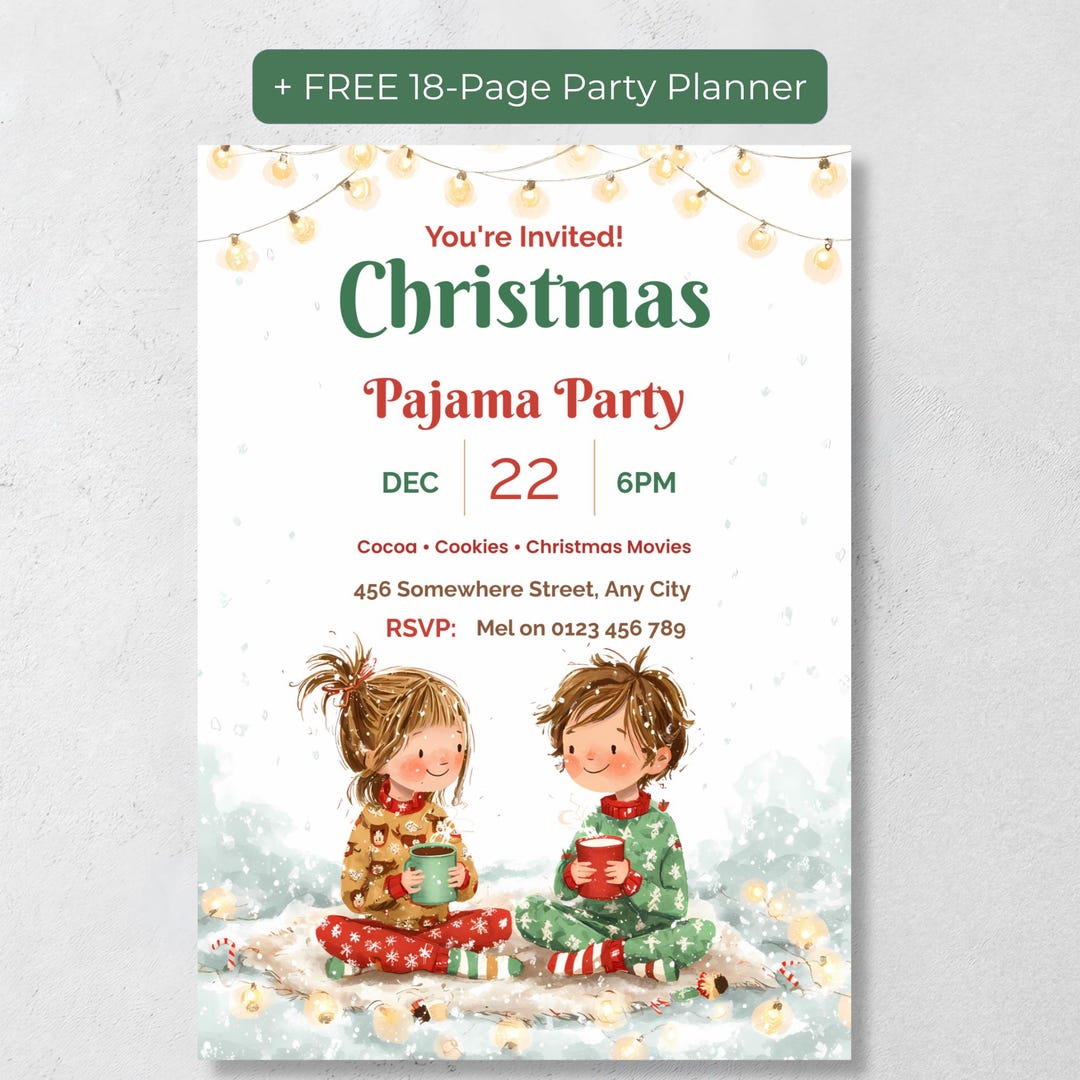
If you'd like a design that's already set up for texting, the Editable Christmas Pajama Party Invitation (Kids Christmas PJ Party Invite, Hot Cocoa Evite) includes a 1080x1920 phone version alongside a 5x7 printable, both editable in Canva. The hand-painted watercolor artwork shows two children in Christmas PJs holding mugs of cocoa under string lights, so it looks like a storybook card rather than a generic e-card.
It also comes with two free bonuses for the RSVP stage: an 18-page printable party planner with a guest list tracker, and a digital party planner with a guest list, checklist, timeline and menu planner that needs no account, login or subscription.
The bottom line
For a Christmas pajama party, a texted image invitation is quick, personal and easy for guests to open. Use a 1080x1920 phone-sized design, download it as a PNG, send it with a clear RSVP date, and keep a simple guest list so you know exactly how much cocoa to make.
Frequently Asked Questions
Can I edit the Christmas pajama party evite on my phone?
Yes. The template opens in Canva, which you can use in a browser or in the Canva app on your phone or tablet.
What sizes are included?
A 1080x1920 phone version for texting or emailing, and a 5x7 inch printable version of the same design.
Do my guests need Canva to see the invitation?
No. You download the finished invitation as an image or PDF and send it, so guests just open it like any photo.
Is there a way to track RSVPs?
The listing includes a free 18-page printable party planner with a guest list tracker and a free digital party planner with a guest list, so you can keep track of replies in one place.