Yes, it's fine to text a Christmas dinner invitation. Most families now plan through a group chat. The trick is to send a proper phone-sized invitation image (1080x1920 pixels) with a short personal message and a clear RSVP date, and print a few 5x7 copies for relatives who prefer paper.
Is it OK to text a Christmas dinner invitation?
For most families, yes. The group chat is already where the Christmas plans happen, and a text reaches everyone instantly, including the cousin who never checks email. What makes a texted invitation feel thoughtful rather than lazy is the invitation itself: a designed image with the details laid out clearly, not a line of plain text that scrolls away under forty emoji replies.
The one exception is older relatives. If Grandma keeps her invitations on the fridge, print her a copy. The best setups give you both from the same design.
Text, printed card or evite website: which should you use?
- Texted image (evite): instant, free to send, easy to forward, and it lives in the chat where everyone can find it again. You track RSVPs yourself.
- Printed 5x7 card: feels special and gets displayed, but costs printing and postage and takes longer. Best for grandparents and formal dinners.
- Evite websites and apps: built-in RSVP tracking, but guests have to click through, some ask them to sign in, and the designs often look generic.
For a family Christmas dinner, a texted image plus a handful of printed copies covers everyone with the least effort.
How to send a Christmas dinner invitation by text, step by step
- Use a phone-sized design. A 1080x1920 pixel image fills a phone screen. A 5x7 card sent as-is shows up small, with tiny text.
- Keep the text large and short. Headline, date and time, address and RSVP. Test it by reading it on your own phone at arm's length.
- Save it as a PNG or JPG. Images preview right in the chat. PDFs make people tap to open.
- Send it with a short personal message so it doesn't look like a forward. Example: "We're hosting Christmas dinner this year! Details below. Let me know by Dec 10 if you can make it. 🎄"
- Pin it or resend it a week out. Group chats move fast. A reminder a week before dinner, with the image again, saves a lot of "what time was it?" messages.
- Keep a simple guest list of who's replied, who's bringing what, and any dietary needs.
A Christmas dinner evite that also prints
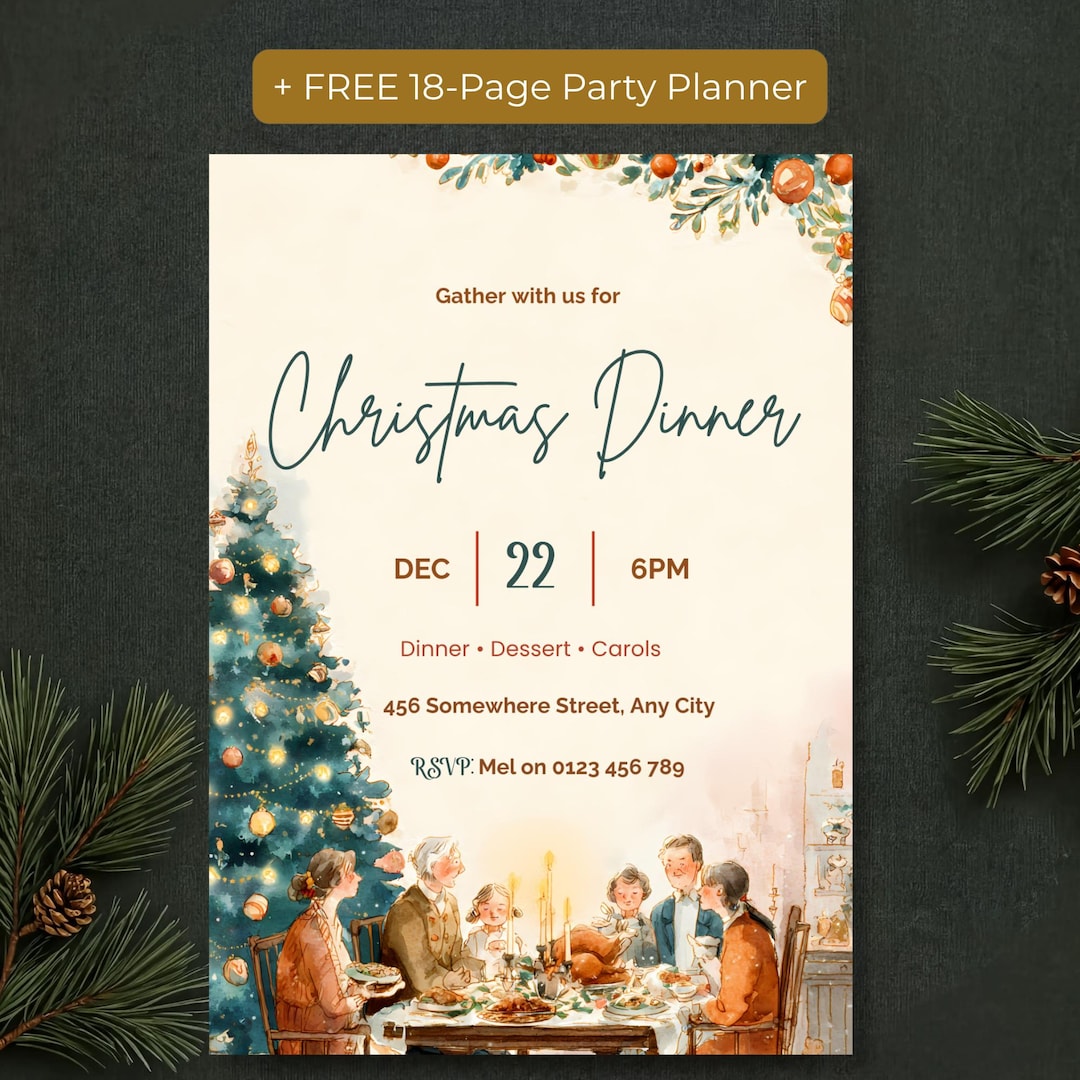
If you'd rather not design one from scratch, the Family Christmas Dinner Invite and Christmas Evite from PR Creative Digital comes in both sizes you need: a 1080x1920 phone version to text to the family group chat and a 5x7 version to print for relatives who like a card in hand. It's a vintage watercolor design of a family gathered around a candlelit table, in soft teal and terracotta, and every word is editable in Canva, including the headline, so it works for Christmas Eve, Christmas Lunch or a Friendsmas dinner too.
It also includes a free digital party planner with a guest list, menu planner and shopping list, which covers step six above, plus a free 18-page printable planner if you like to plan on paper.
The bottom line
Texting a Christmas dinner invitation is normal, fast and perfectly polite, as long as you send a real phone-sized invitation, add a personal line and a clear RSVP date, and print a copy for anyone who'd rather have paper. Send it three to four weeks ahead, then follow up once the week before.
Frequently Asked Questions
What size should a texted invitation be?
A 1080x1920 pixel image, which is the shape of a phone screen. The PR Creative Digital Christmas dinner invitation includes a phone version at exactly this size.
Can I edit the Christmas dinner invitation myself?
Yes. The template opens in Canva, and every word can be changed, including the headline, date, time, address, details line and RSVP. The watercolor background illustration is fixed.
Can I text it and print it?
Yes. You get two sizes of the same design: a 1080x1920 phone version to text or email, and a 5x7 inch version to print at home or at a print shop.