To text a New Years Eve invitation, create or edit a phone-sized design (1080x1920 pixels), download it as a PNG or JPG, and send it as a photo in a group or individual text with a short message and a reply-by date. An editable Canva template with a mobile version is the quickest way to get a polished result without designing from scratch.
Why text invitations work so well for New Years Eve
New Years Eve is often planned fast. Guests decide between parties, and most of that happens on their phones. A text invitation arrives instantly, gets seen, and is easy to reply to. It's also free to send and simple to update if plans change.
The catch is that a screenshot of a flyer or a plain text message can feel like an afterthought. A properly sized, designed invitation feels like a real party.
Step 1: Use the right size
Phone screens are tall, so a vertical design fills the screen without guests needing to zoom. The standard size is 1080 x 1920 pixels, the same shape as a phone screen and an Instagram story. A 5x7 card design sent by text still works, but it appears smaller with empty space around it.
Step 2: Keep the text large and scannable
- Make the headline ("Cheers to 2027!") the biggest element
- Keep the date and time easy to spot at a glance
- Use light text on dark backgrounds, or dark text on light, never thin gray on black
- Put the RSVP phone number or email on the invitation itself
Step 3: Download the right file type
Download your finished phone invitation as a PNG or JPG. Both show up as a photo in iMessage, WhatsApp and Android messaging apps. A PDF usually opens as an attachment instead, which is an extra tap for your guests.
Step 4: Send it with a short message
Send the image with one line of context, so guests know what it is even before it loads:
- "You're invited! Ringing in 2027 at our place. RSVP by Dec 20 🥂"
- "Save the date for New Years Eve! Details below. Let me know if you can make it."
For big guest lists, consider sending individual texts rather than one huge group chat. Replies stay manageable and nobody gets 40 "count me in!" notifications.
Step 5: Track your RSVPs
As replies come in, keep a simple guest list with who's coming, how many, and any dietary notes. A spreadsheet works, or a party planner with a guest list tracker.
A ready-made option you can edit on your phone
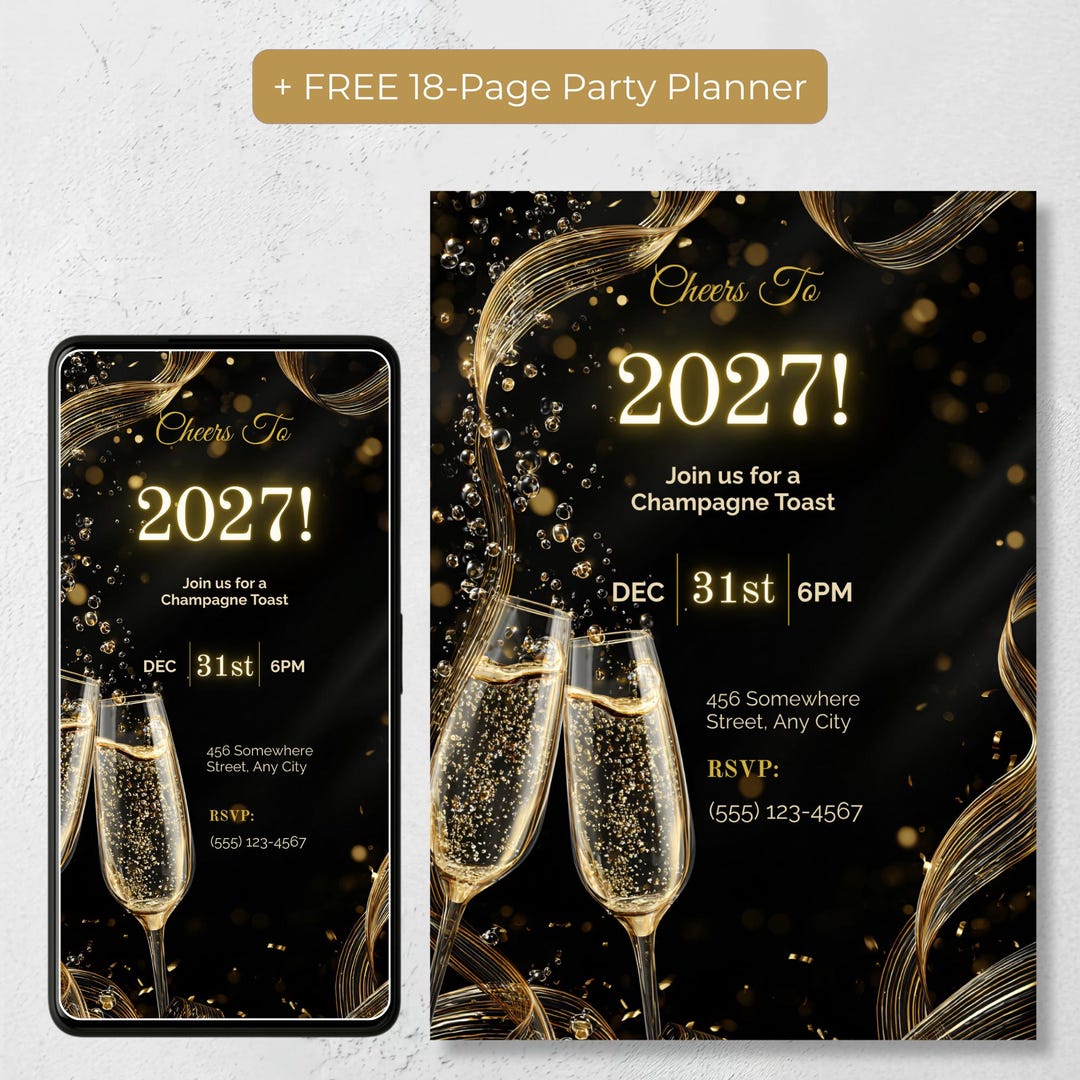
If you'd rather skip the design work, the editable black and gold champagne toast NYE text invitation from PR Creative Digital includes a 1080x1920 phone version sized for texting, plus a 5x7 printable version of the same design. Every word is editable in Canva, and a free Canva account is all you need.
It also includes a free party planner web app with a guest list, checklist, timeline and budget, which makes the RSVP step easier.
The bottom line
Design it at 1080x1920, keep the key details large, download it as a PNG or JPG, and send it with a one-line message and a reply-by date. That's all a text invitation needs to feel like a real one.
Frequently Asked Questions
What size should a text invitation be?
1080 x 1920 pixels, the same vertical shape as a phone screen, so it fills the screen without zooming.
Should I send a PNG or a PDF?
A PNG or JPG. It displays as a photo in the message, while a PDF usually shows as an attachment guests have to open.
Does the Cheers to 2027 invitation come with a phone version?
Yes. It includes a 1080x1920 phone version for texting or email and a 5x7 version for printing.
Do I need a paid Canva account to edit it?
No. A free Canva account is required to edit the template.