As a rule of thumb, send office holiday party invitations about 4–6 weeks ahead for an evening event in December, when calendars fill quickly, and 2–3 weeks ahead for a casual in-office lunch. Set the RSVP deadline 10–14 days before the party so you can confirm numbers with the venue, and send a short reminder the week of the event.
December calendars fill up fast. Between family plans, school events and other parties, a work invitation that arrives late can mean half the team has already said yes to something else. Here's when to send your office holiday party invitations, and the best way to get them in front of everyone.
A simple office party timeline
- 8 weeks before: set the budget, pick a date and book the venue or caterer
- 4–6 weeks before: send the invitations (or a quick save-the-date if the details aren't final)
- 2 weeks before: RSVP deadline, so you can confirm numbers
- 1 week before: send a reminder with any final details (parking, dress code, gift exchange)
- The day before: a short "see you tomorrow" message with the address and start time
For a party in mid-December, that means invitations should go out in early to mid-November. For a relaxed lunch in the office, two to three weeks' notice is usually enough.
Email, Slack, Teams or print: which is best?
Email is still the most reliable way to reach everyone. Attach the invitation image, and also type the key details (date, time, venue, RSVP) in the email itself so people can find them by searching their inbox.
Slack or Teams works well for teams that live in chat. Post the invitation in the main channel and pin it, so it doesn't scroll away. A tall, phone-shaped image displays best in chat apps.
Text messages suit small teams and staff who aren't at a desk all day.
Print still has a place. A printed invitation on the break room board or left on desks gets noticed by people who skim past emails, and it makes the event feel more special.
The best approach is usually a mix: send it digitally to everyone, add a calendar invite with the time and location, and put up one or two printed copies around the office.
Get the formats right the first time
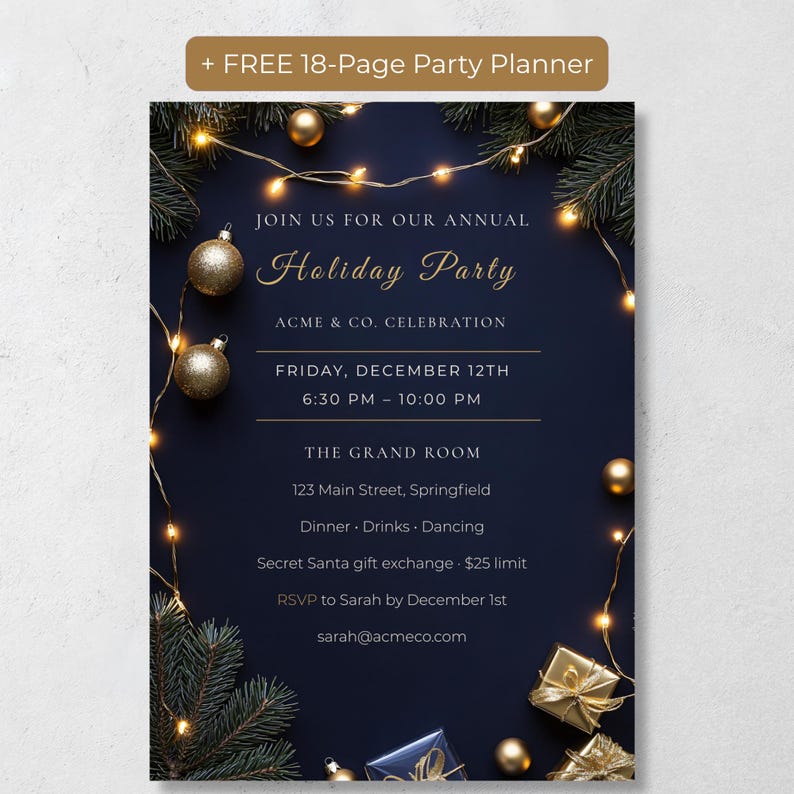
The easiest way to do all of this is to start with one design that comes in both shapes: a tall version for phones and chat apps, and a standard 5x7 for printing. That way your digital and printed invites match.
Our Editable Office Holiday Party Invitation (navy and gold, Canva) includes exactly that: a 1080x1920 mobile evite for email, Slack, Teams or text, and a printable 5x7 with a print guide. It also comes with two free planning bonuses to help with the timeline above: an 18-page printable party planner (checklist, budget, guest list, run sheet) and a party planner web app with no account or login needed.
The bottom line
Send invitations 4–6 weeks ahead for a December evening party, ask for RSVPs about two weeks out, and use more than one channel so nobody misses it. Start with an invitation that works on screen and on paper, and the rest of the planning gets much easier.
Frequently Asked Questions
How far in advance should I send office holiday party invitations?
About 4–6 weeks ahead for a December evening party, and 2–3 weeks ahead for a casual in-office lunch. Set the RSVP deadline around two weeks before the event.
What's the best way to invite remote employees?
Send a digital invitation by email, Slack or Teams, add a calendar invite with the date, time and location (or video link), and post a reminder the week of the party.
What sizes does this office party invitation come in?
The PR Creative Digital invitation includes a printable 5x7 inch version and a 1080x1920 px mobile version, both editable in Canva with a free account.
Does it come with anything to help plan the party?
Yes. It includes a free 18-page printable party planner and a free party planner web app with a checklist, timeline, guest list, menu planner, budget and shopping list. No account is needed for the web app.